| Writing Sample Type | Read online | Download or Print |
|---|---|---|
| sortFiles.py Python script | GitHub | Download |
| Using sortFiles.py | Sample documentation |
Notes on the writing sample: Please consider the following description, the included python sample, and the Sample documentation as the complete writing sample.
Background
Large sets of information (let’s call them libraries) written by multiple authors present unique challenges to ensure consistency, file integrity, and application of library-wide changes. Integrity and consistency can often be handled through the appropriate use of source control, like implementation and enforcement of a branch model, branch protection rules, and code reviews in GitHub.
Processes and tools to manage library-wide updates independently of the work of individual writers can be critical to the effectiveness of a documentation team.
For example, say you need to run accessibility checks and fixes as part of a bid requirement for a contract. Involving the entire documentation team in this important work can take them away from other critical work. You could hire a contractor just to handle this task, but you’ll likely have to hire her again when yet another unexpected, urgent task comes up that your team doesn’t have the resources to handle.
Or you could rely on documentation tools and processes that are developed specifically for your library to help your writers do what they do best, provide real value to the product by delighting customers while addressing their needs. Not by doing mindless, repetitive tasks to scrub already written documentation.
Process
Developing processes and tools to simplify the work of documentation teams requires strategic thought as well as the ability to translate process logic into usable tools.
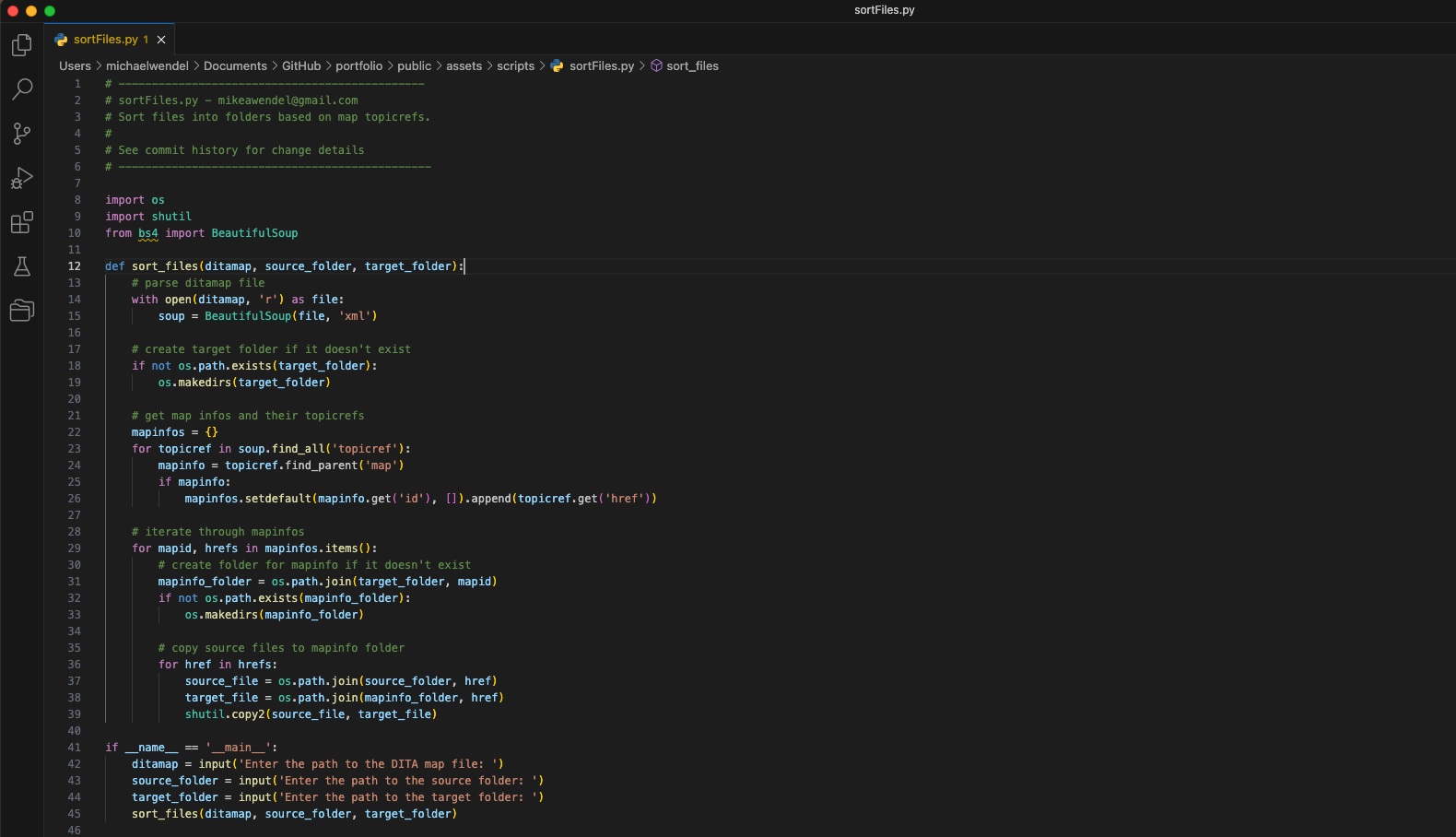
As a sample, consider this Python script, which sorts DITA XML files into separate folders based on the topicrefs in a DITA map. This is a simplistic example, and might be used as the first step in a larger process to test or update one set of topics when all documentation source is stored in a common repository.
Using sortFiles.py
This script sorts files into folders based on topicrefs in a DITA map. It uses the BeautifulSoup library to parse the DITA map and extract the topicref elements. All topicrefs with the same map id will be copied into a specified target folder. When you run the script, you’ll be prompted to enter the path to the DITA map file, the content source folder, and the target folder.
Requirements
To run this script, you need:
-
Python 3 installed on your computer
-
The BeautifulSoup library installed with the lxml library since the script parses DITA. You can install the lxml library and BeautifulSoup by running the following command in your terminal or command prompt:
pip install lxml
pip install beautifulsoup4
Usage
To use this script, provide the following information when prompted:
- The path to the DITA map file
- The path to the source folder that contains the files to sort
- The path to the target folder to store the sorted files
For example, run the following command:
python sortFiles.pyThe script prompts you to enter the path to the DITA map file, the source folder, and the target folder.
Notes
- The script assumes that the file names in the source folder match the href attributes in the DITA map.
- The script creates the target folder if it does not already exist.
- If a folder with the same name as a map id already exists in the target folder, the existing folder is used instead of a new folder. Existing files in the target folder might be replaced.
- Files from the source folder are copied to the target folder, so the original files are still available in the source folder.
| Writing Sample Type | Read online | Download or Print |
|---|---|---|
| sortFiles.py Python script | GitHub | Download |
| Using sortFiles.py | Sample documentation |